Practice Harbor features
Practice Harbor is practice management and EHR software for therapists, counselors, psychologists, and social workers in private practice. Every feature below is included on every plan: pre-licensed clinicians use it free, licensed clinicians pay $19 per month, and practices with a team pay $39 per month. Practice Harbor is made by Somatopia, LLC in San Rafael, California.
AI progress notes
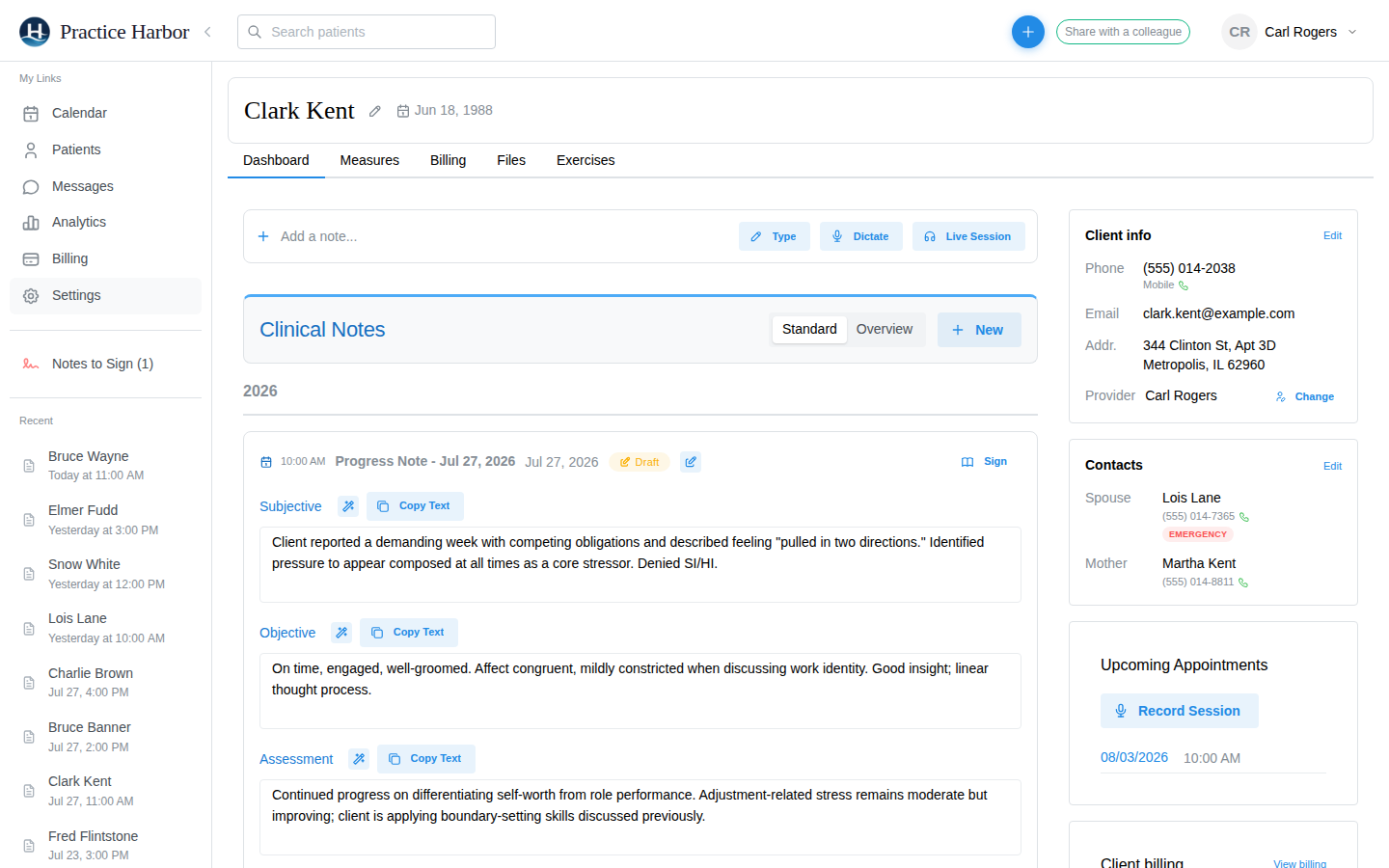
Practice Harbor drafts a progress note from a recorded session, a dictation, or a few typed lines, in SOAP, DAP, BIRP, GIRP, or a template the practice writes. The clinician reviews, edits, and signs; nothing is filed without a signature.
Notes carry the diagnosis, the treatment-plan goals addressed, and the session details a claim needs. Transcription and drafting run under Business Associate Agreements with zero data retention, and session audio is never used to train models.
Scheduling and online booking
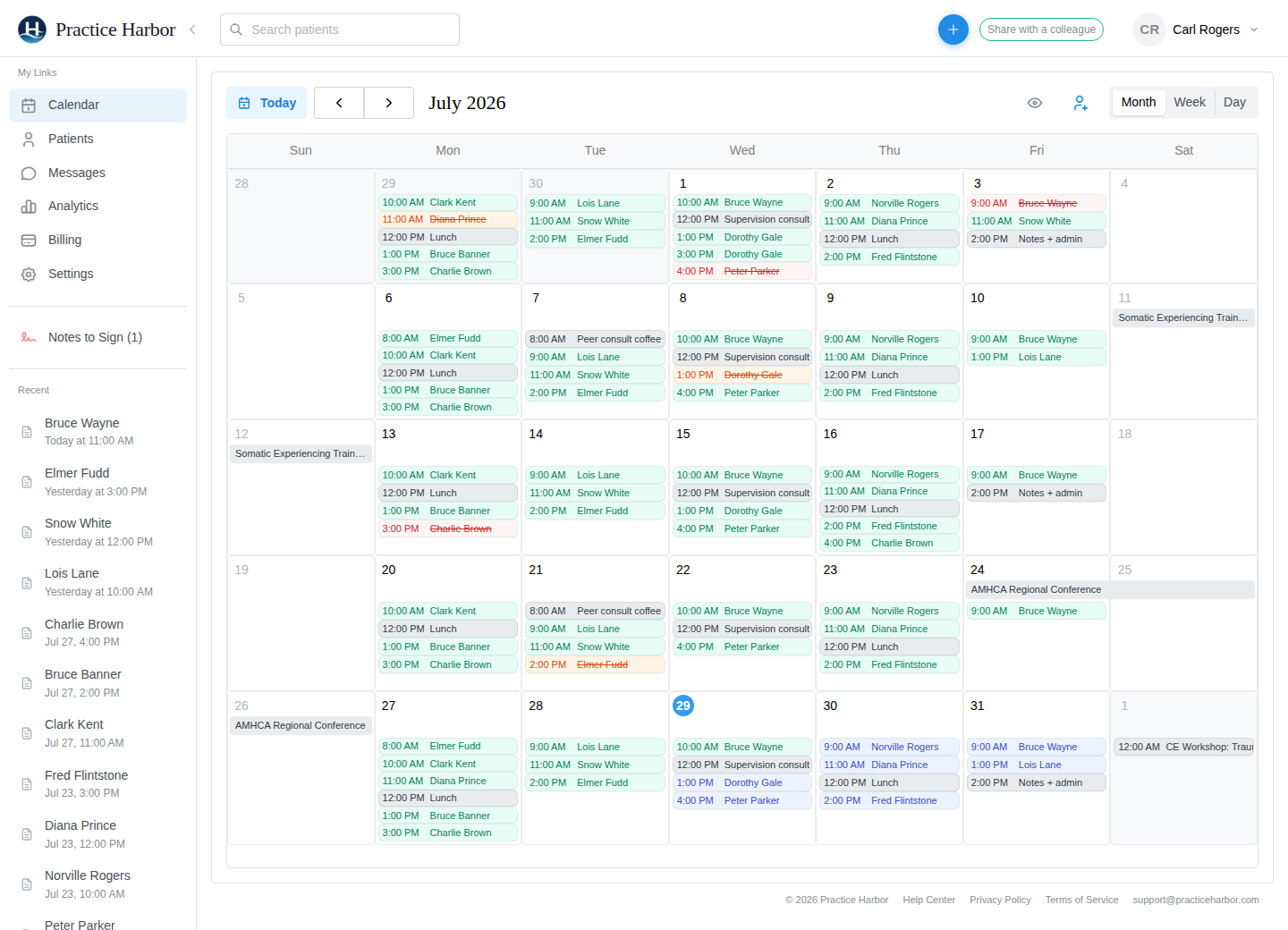
A calendar for the whole practice with recurring appointments, waitlists, automated email and text reminders, two-way Google Calendar sync, and a public booking page clients use without an account.
Booking requests land in an Inquiries list with a one-click accept that creates the client, sends the portal invitation, and starts intake.
Telehealth
Video sessions run in the browser for the clinician and the client, with a waiting room, no app to install, and the option to record a session for AI notes with the client’s consent.
Couples and family sessions support members joining from separate locations.
Client portal and secure messaging
Clients sign in to complete intake forms, sign consents, see and request appointments, join telehealth, message the practice, and pay balances or keep a card on file.
Guardians get managed access for minor clients; couples get a shared thread plus private per-member threads.
Intake forms and e-signature
Consent forms, questionnaires, and credit-card collection are bundled into intake packets and sent from the chart, with progress tracked per client and per document.
Packets route through a guardian for minors and go to each member individually for couples and families. Bulk sharing sends a document to many clients at once.
Billing, cards on file, and AutoPay
Invoices, statements, and superbills are generated from appointments; cards on file and AutoPay collect fees automatically; flat card processing at 3.15% plus 30 cents.
Self-pay and insurance clients are handled by the same billing tab, with per-client billing settings and practice-wide defaults.
Insurance claims and eligibility
Electronic 837P claims through an integrated clearinghouse at 25 cents per claim, eligibility checks at 15 cents, electronic remittance posting, denial triage, and timely-filing tracking.
Claims can be filed under a supervisor’s credentials for pre-licensed clinicians. CMS-1500 views and good-faith estimates are built in.
Couples, family, and group charts
A couple or family is its own chart with its own notes and billing, while each member keeps a personal chart. Roster groups get per-member notes and group claims.
A primary client is designated for insurance, a guarantor for payment, and nothing is copied between charts, so records never drift.
Scored measures and measurement-based care
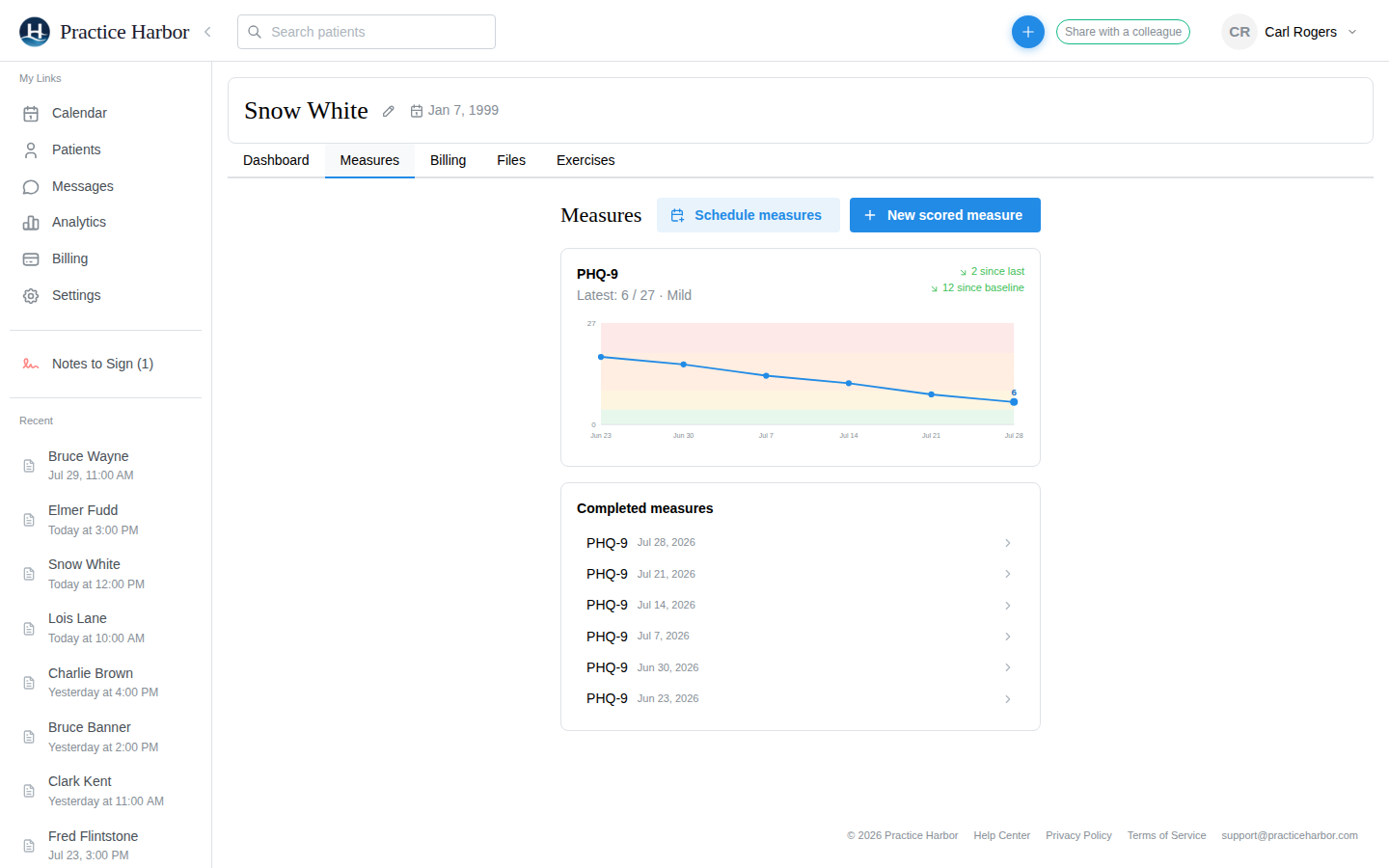
PHQ-9, GAD-7, ASRS, and a library of other scored measures are sent from the calendar or the chart, completed by the client in the portal, scored automatically, and charted over time.
Measures can be scheduled to recur and shared with many clients at once.
Treatment plans and diagnoses
Treatment plans with goals and objectives that flow into progress notes, ICD-10 diagnoses managed per client, and multiple diagnoses on claims and superbills.
Plans can be shared with the client for signature through the portal.
Supervision and team roles
Pre-licensed clinicians work under a supervisor with note co-signing, a supervision dashboard, and hours logging; team members hold roles such as clinician, practice manager, biller, and scheduler with permissions to match.
Pre-licensed clinicians are free on every plan.
EHR import and data export
Client demographics, notes, treatment plans, and documents import from a previous EHR’s export, including couples. Everything exports again at any time in open formats.
Records are stored in the FHIR R4 standard, not a proprietary schema.
Security and compliance
HIPAA compliant, with a Business Associate Agreement that takes effect when a practice creates its account. Data is encrypted at rest and in transit, access is audit-logged, and every vendor in the stack is under a BAA.
Details, documents, and the security questionnaire are on the Trust Center.
What is not on this list
Practice Harbor does not have an AI receptionist or phone answering, and e-prescribing is not yet available. Features that a practice management product is expected to have and that Practice Harbor lacks are stated here rather than implied, so a comparison built from this page is accurate.
Where to go next
- Pricing — the three plans, on one page.
- Help Center — how each feature works, step by step.
- Trust Center — security architecture and the BAA.
- Compare — Practice Harbor next to the established therapy EHRs.
- About Practice Harbor — who makes it.