 Practice Harbor
The dashboard
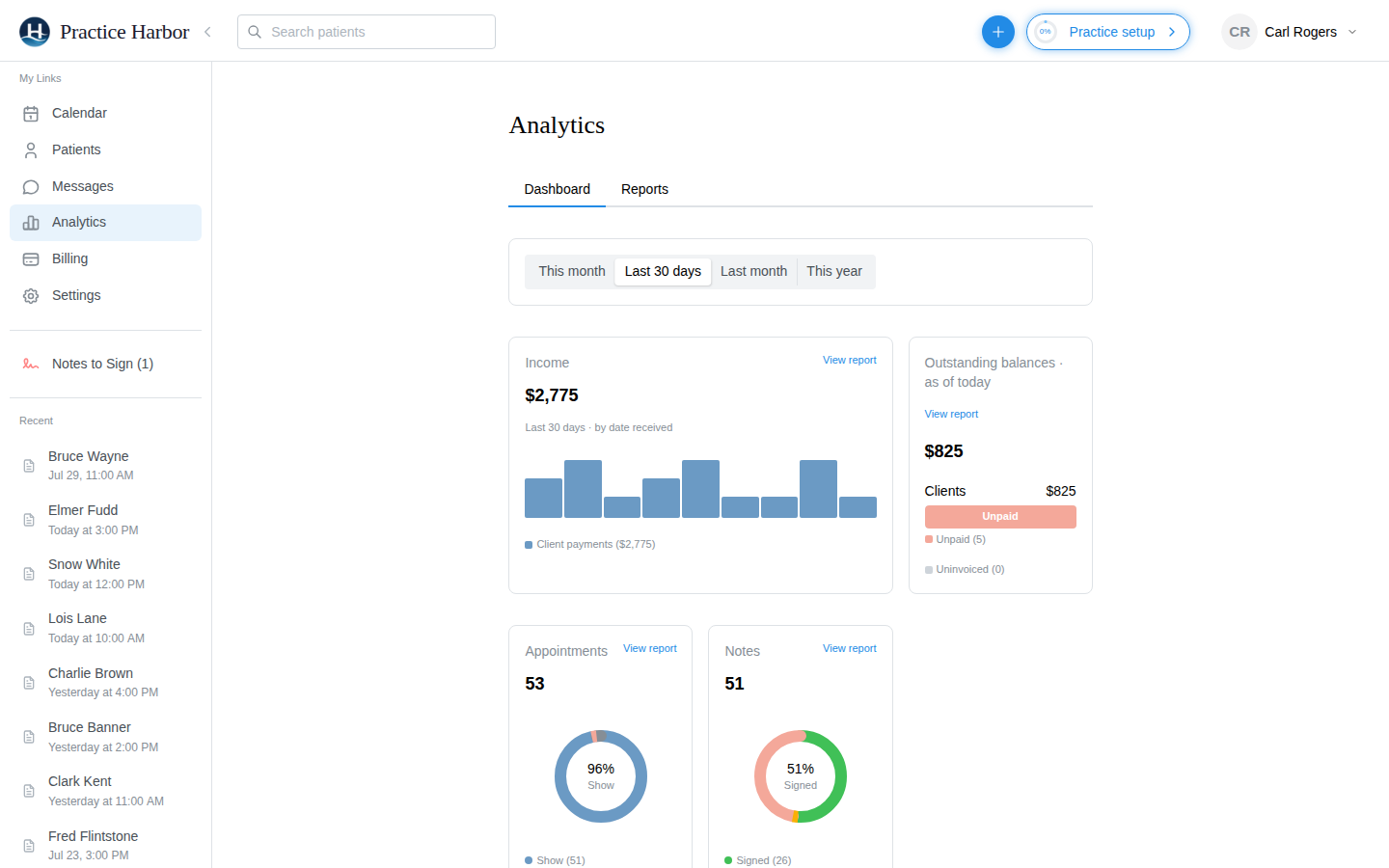
Income by date received, outstanding balances split between clients and insurance, appointment volume and status mix, documentation activity, and claims filed, for this month, the last 30 days, last month, or the year.
Income, outstanding balances, appointments, notes, and claims at a glance, with detailed reports behind every card and CSV export when a spreadsheet is the real goal.
Income by date received, outstanding balances split between clients and insurance, appointment volume and status mix, documentation activity, and claims filed, for this month, the last 30 days, last month, or the year.
Every session matched against its note, so unsigned or missing documentation stands out for the end-of-week sweep.
One client’s sessions with the money on every row: fee, the client’s charge, uninvoiced, paid, written off, unpaid, and what insurance paid. Filter by date and status and export to CSV.
Every reminder sent to a client, with the time, type, and whether it went, so you can answer "I never got a reminder" with the record.
Income split by clinician for the period, for compensation and productivity, and the payouts your processor sent with the transactions inside each one, to reconcile bank deposits against sessions. A referrals report shows where clients come from.
Every claim with its status progression from submitted to paid, beside the Insurance hub’s counts of pending claims and claims that need attention.
From the help center, written for the people who use it every day.
Owners and clinicians with entire-practice access by default, billers, and anyone you grant the financial dashboards permission. Clinicians can be limited to their own clients’ figures.
When it was received. Income is cash-basis, counted by the date the payment arrived, which is what most bookkeepers want from a practice.
Yes. The appointment status and reminders reports, the income allocation report, the billing dashboard, and the clinical hours log each export to CSV.
More answers in the help center.

Try every feature free, with no credit card. Your Business Associate Agreement is signed the moment you create your account.
Start free trial