Insurance claims

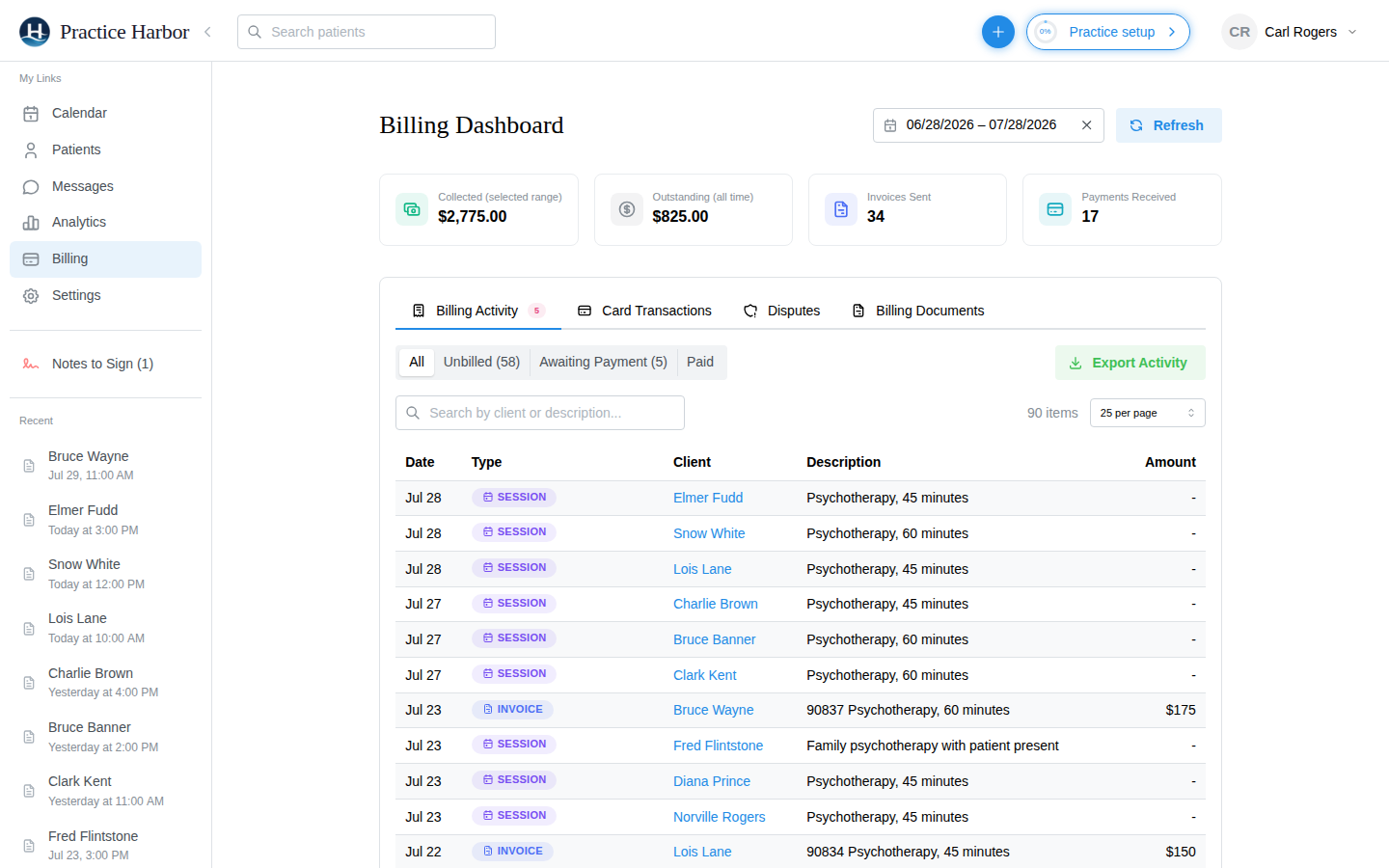
Electronic claims through a built-in clearinghouse at 25 cents a claim, eligibility checks at 15 cents, remittances that post themselves, and denial triage. No clearinghouse subscription.

Insurance claims in Practice Harbor

Claims from the chart you already keep

File from Unbilled Appointments

Every completed appointment for an insurance client lines up with its service code, fee, modifiers, and diagnosis. Select the sessions and create claims to review, or create and submit in one step. Place of service is confirmed before anything goes out.
ERAs that post themselves

For payers you are enrolled with, electronic remittances arrive in the Payments tab and post automatically: claim statuses update, insurance payments land on the right sessions, and client responsibility flows to client billing. Download the EOB when you want the paper view.

Eligibility checks before the first session

Verify a client’s coverage for 15 cents a check, from the same Payment & Insurance tab that holds their member ID, policyholder, and copay or coinsurance estimate.

Coverage collected at intake

Clients enter their insurance and policyholder on the demographics form. Pick the payer from your own list or the full US directory by name or payer ID.

Rejections and denials, triaged

Claims that need attention are counted on the hub and listed with what to fix. Secondary claims, timely-filing tracking, write-offs, and CMS-1500 views for claims you file outside the platform are built in.

Billing under supervision

Pre-licensed clinicians file under their supervisor’s credentials. The supervising provider’s name, license, and NPI carry onto claims and superbills automatically.

HIPAA compliant BAA included at sign-up Encrypted in transit and at rest

Common questions

What does insurance billing cost?

25 cents per electronic claim, with ERA posting included, and 15 cents per coverage check. There is no monthly claim fee and no separate clearinghouse subscription.

Which payers can I bill?

Any payer in the clearinghouse’s US directory, searchable by name or payer ID. Enroll with a payer once and its remittances come back electronically.

Do I have to turn insurance on?

Yes, once. Insurance features are off by default because many practices are self-pay; switch them on under Settings, Insurance & Superbills, and the Insurance hub appears in the navigation.

Can my biller work the claims without seeing notes?

A practice biller sees every client’s billing, insurance, and documents and can file and fix claims, but can never write or sign clinical notes.

More answers in the help center.

Start for free

Try every feature free, with no credit card. Your Business Associate Agreement is signed the moment you create your account.

Start free trial