 Practice Harbor
Your practice’s plan form
Build the plan structure your practice or a payer expects under Settings, Templates, and new plans open in it. Practices that don’t need one keep the standard goals-and-objectives plan.
Diagnoses with ICD-10 codes and treatment plans with goals and objectives, drafted by AI from the client’s own chart when you want, reviewed on a schedule, and signed by the client in the portal.
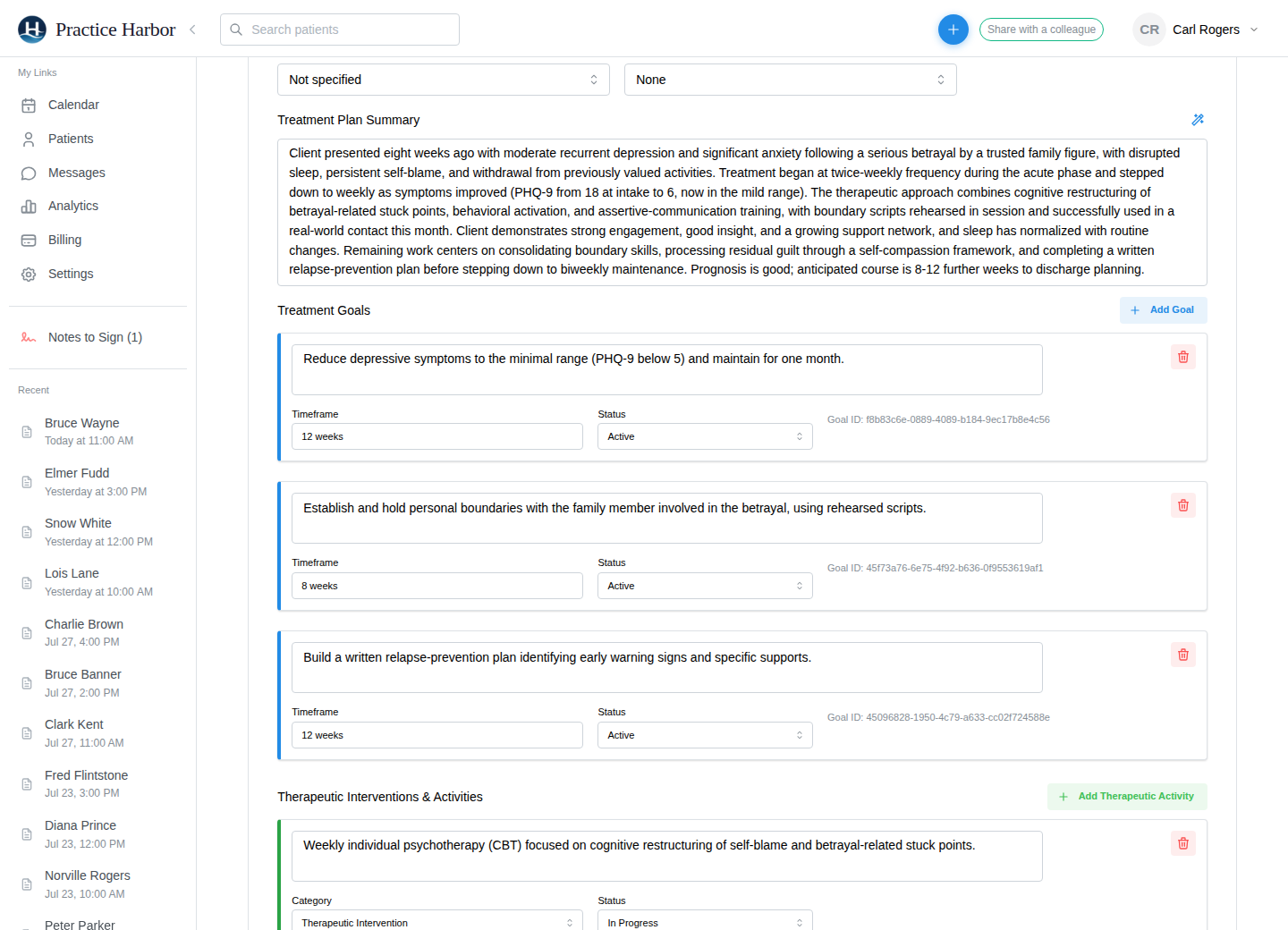
Build the plan structure your practice or a payer expects under Settings, Templates, and new plans open in it. Practices that don’t need one keep the standard goals-and-objectives plan.
Ask for a draft and the AI fills the plan from this client’s notes and earlier plans, never another client’s. Accept everything, or go section by section and rewrite with Magic Edit.
Search by code or keyword, add several diagnoses to one entry, and sign it. The codes carry onto claims and superbills, with multiple diagnoses supported on both.
Load the previous plan to carry forward what still applies, then update goals and objectives for the next period.
Unsigned plans sit in Notes to Sign beside your notes, and plans approaching their review date are badged Due soon or Overdue so nothing lapses quietly.
Share the plan to the portal and the client signs it there. The signed plan stays on the chart with the diagnosis it belongs to.
From the help center, written for the people who use it every day.
It drafts one from the client’s own record, their notes and earlier plans, and you review every line before signing. Nothing from any other client is used.
Yes, when you share it to the portal. The signed plan stays on the chart with its diagnosis.
Yes. Treatment plan forms let you define the sections your practice or a payer expects, and every new plan opens in that form.
More answers in the help center.
Try every feature free, with no credit card. Your Business Associate Agreement is signed the moment you create your account.
Start free trial