Scheduling & reminders

A calendar for the whole practice: recurring sessions, automatic email and text reminders, Google Calendar sync, and booking requests you approve before they land.

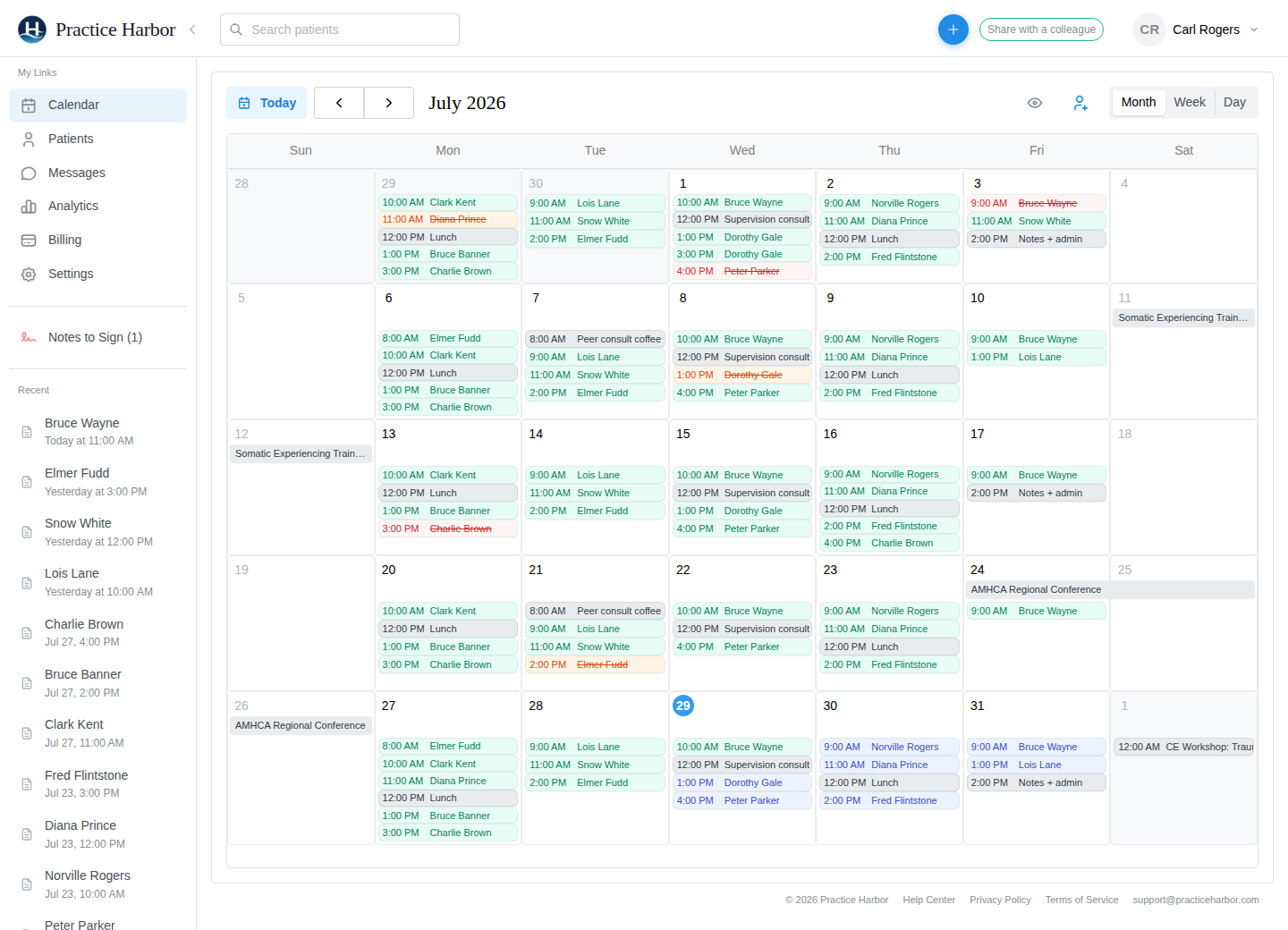
A full month on the Practice Harbor calendar

Take control of your schedule

Reminders that cut no-shows

Automatic email and text reminders go out 24, 48, or 72 hours before each appointment. The email carries a calendar invite and, for video sessions, the join link. Every member of a couple, family, or group gets their own, and a report shows every reminder sent.
Recurring appointments

Repeat a session every one to eight weeks or months and the whole series is created at once. Cancel or move one session without touching the rest.

Google Calendar sync, both ways

Your appointments appear in Google Calendar as initials only, never client names, and your personal Google events block online booking here. Choose two-way sync or one-way.

Apple Calendar, Outlook, any calendar app

A private subscription link shows your appointments and blocked time, read-only and initials only, in Apple Calendar, Outlook, or any app that subscribes to a calendar by URL. Reset the link any time.

Cancellations and late fees in one step

Mark a session Cancelled, Late Cancelled, Clinician Cancelled, or No Show; the fee panel opens where a fee applies, reminders stop, and the session comes off the books. Clinician cancellations can message the client in the same step.

Drag to reschedule

Month, week, and day views. Drag an appointment to move it; the appointment panel carries the service code, fee, modifiers, and location, and choosing the video location is what makes it a telehealth session.

HIPAA compliant BAA included at sign-up Encrypted in transit and at rest

Common questions

Are text reminders included?

Yes. Email and text reminders are included on every plan. You set the timing once for the practice, and each client’s own reminder settings decide where theirs go.

Can clients cancel online?

Only if you let them. Set a notice window of 24, 48, or 72 hours and clients can cancel a confirmed appointment from their portal until the window closes; inside it, the portal tells them to contact you. Couples, family, and group sessions always come through you.

Will my clients’ names show up in Google Calendar?

No. Synced appointments use initials only, and Google events you declined don’t block anything here.

Does a client need the portal to get reminders?

No. Reminders go to the email address and phone number on the chart. The portal is where clients request appointments, join video sessions, and complete paperwork.

More answers in the help center.

Start for free

Try every feature free, with no credit card. Your Business Associate Agreement is signed the moment you create your account.

Start free trial