 Practice Harbor
Five validated measures
PHQ-9 for depression, GAD-7 for anxiety, PCL-5 for PTSD symptoms, AUDIT-C for alcohol use, and DASS-21 for depression, anxiety, and stress. Each is scored on completion with its standard severity bands.
PHQ-9, GAD-7, PCL-5, AUDIT-C, and DASS-21 built in, sent on a schedule, scored automatically, charted over time, and flagged when a response signals risk.
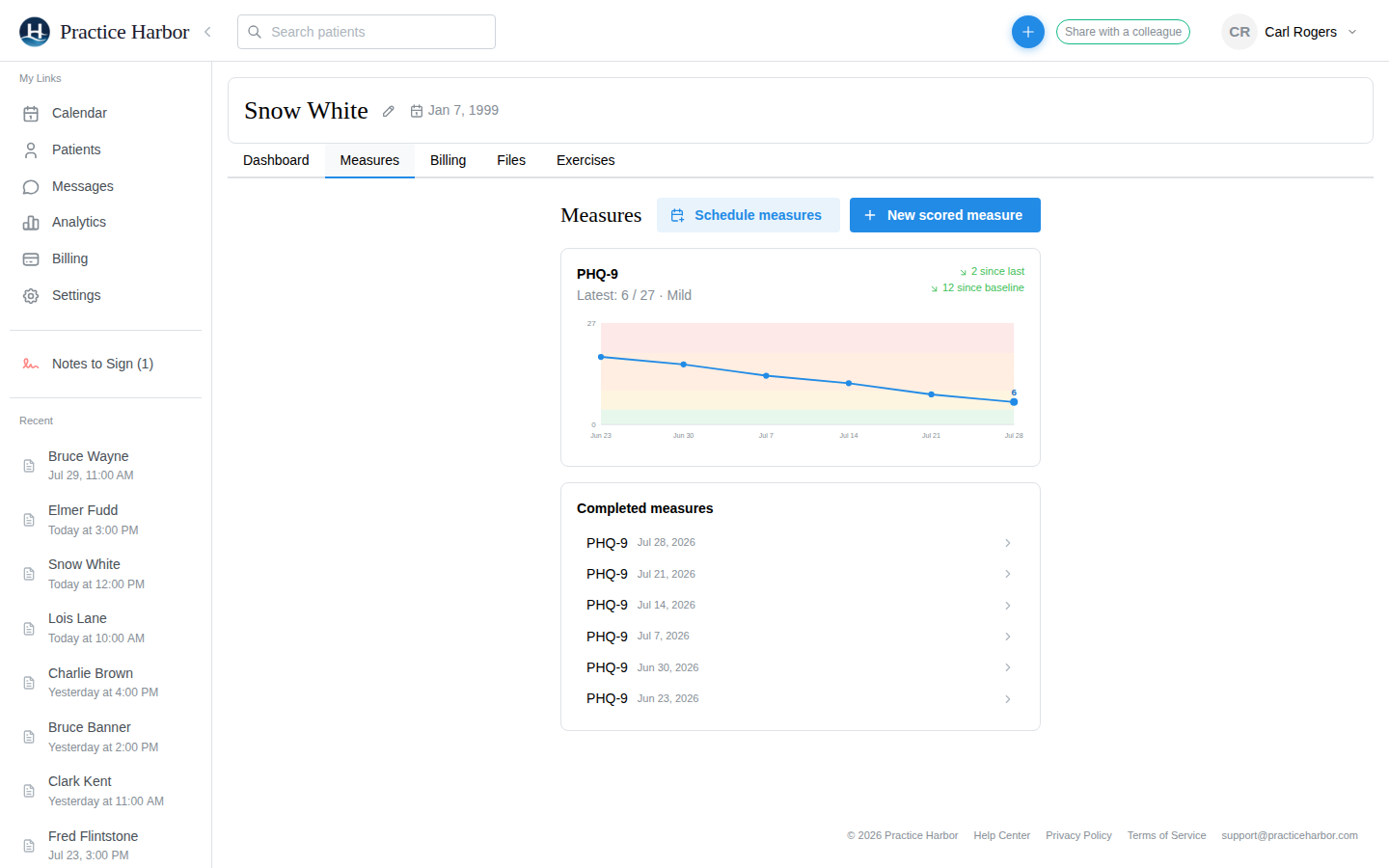
PHQ-9 for depression, GAD-7 for anxiety, PCL-5 for PTSD symptoms, AUDIT-C for alcohol use, and DASS-21 for depression, anxiety, and stress. Each is scored on completion with its standard severity bands.
Send a baseline with the intake packet, or schedule a measure before every appointment, after every appointment, or every two or four weeks. Recurring measures send themselves through the portal.
Open a new scored measure on the chart and complete it together, for clients who prefer to talk it through.
Each measure gets a trend card: the latest score and severity, change since last time and since baseline, and a line drawn over color-coded severity bands. Click any administration for every item and the scoring guide.
A PHQ-9 with item 9 answered above "not at all" is badged High risk everywhere the measure appears, including Session Prep before the appointment, so it is not missed.
Latest scores and what is still pending show in Session Prep on the recording page and on each appointment, and feed the AI’s pre-session summary.
From the help center, written for the people who use it every day.
PHQ-9, GAD-7, PCL-5, AUDIT-C, and DASS-21, all scored automatically with their standard severity bands. Every plan includes them.
Yes. Measures go out through the portal, once or on a schedule, and the client completes each one on their phone or computer. An unfinished measure stays pending until they do.
Scores appear on the chart’s Measures tab, in Session Prep before each appointment, and on the appointment itself, and they inform the AI’s pre-session summary. What goes in the note is yours to write.
More answers in the help center.
Try every feature free, with no credit card. Your Business Associate Agreement is signed the moment you create your account.
Start free trial